
 Founded in 1947, the Roper Center for Public Opinion Research is the leading educational facility in the field of public opinion. The Center exists to promote the intelligent, responsible and imaginative use of public opinion in addressing the problems faced by Americans and citizens of other nations. In an increasingly complex and interdependent global environment, the Roper Center hopes to foster increased international understanding and to promote cross-national research. Through the maintenance of the world's largest archive of survey data, and through its programs of publication, presentation and advanced research, the Roper Center strives to improve the practice of survey research and the use of survey data in the United States and abroad.
RoperExpress:
RoperExpress makes possible immediate download of data. Studies available through RoperExpress are marked with an icon,  .
.
If a study isn't available through RoperExpress, copy and paste the information about the dataset into an email to the Roper Center at data-services@ropercenter.org. They will process the data and let you know when it is available through RoperExpress.
Roper data are made available through a license to the CSU, and are not to be provided to non-CSU personnel.
Downloading Roper Center Data:
The first thing a user needs to do is to create a Roper Center account at http://www.ropercenter.cornell.edu. This account has to be created on a CSU campus that subscribes to the social science data bases or through a proxy server at such a campus. (Check with your SSRIC representative at ssric.org/reps to see if a proxy server is available on your campus.) Once the account has been created, then Roper data can be accessed from off campus. Detailed instructions on how to create an account are in our one-hour Roper PowerPoint.
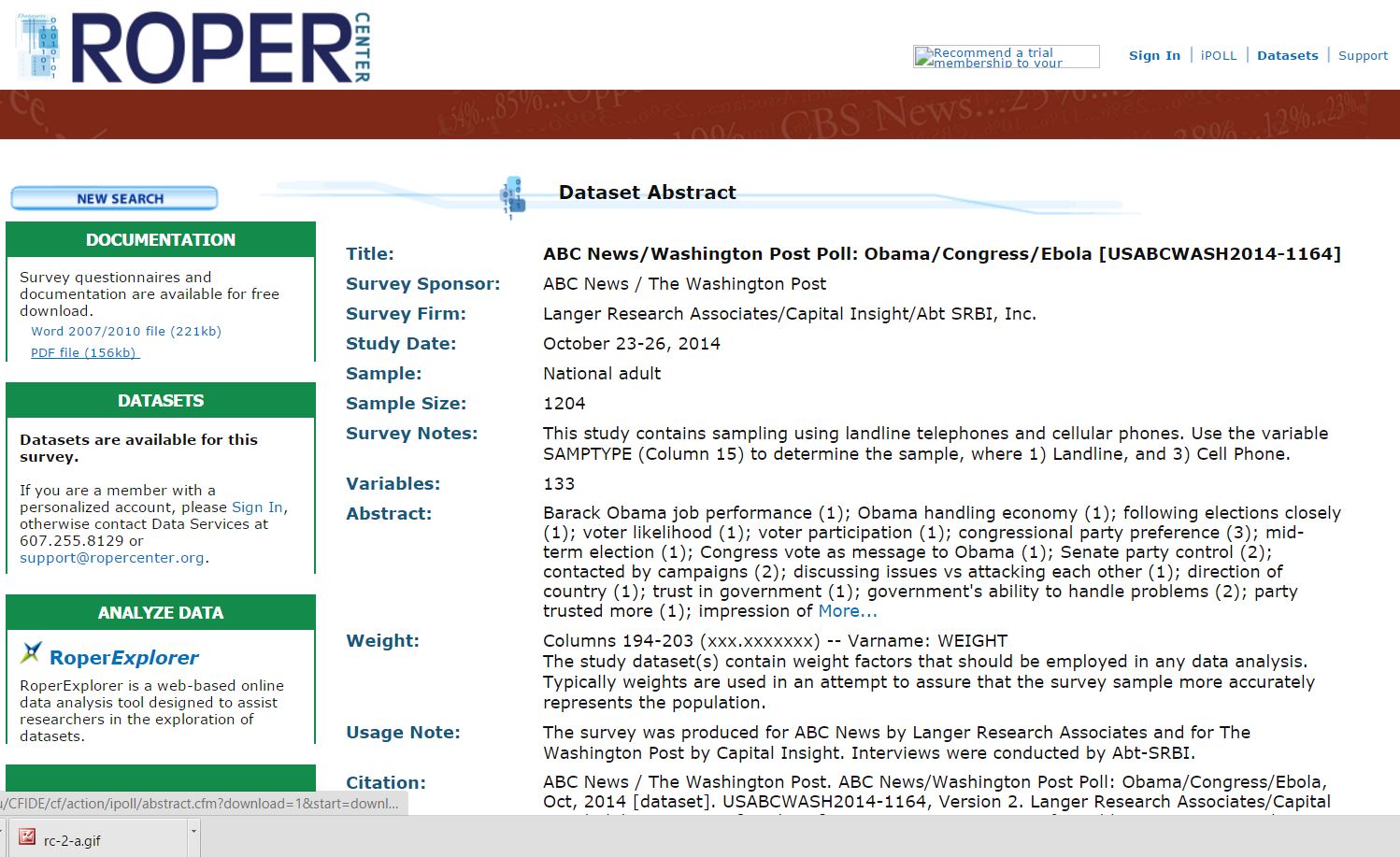
To locate data, go to http://www.ropercenter.cornell.edu. From the menu at the top of the page, click on “Search Datasets.” Clicking on http://ropercenter.cornell.edu/dataset-search-help/ will get you a short description of the search procedures. You can type keywords into the search box and limit your search to a particular date range and country. Limit your search to one word or phrase. Don't use compound searches. Locate the study you are interested in and click on the study # for more information about that study. The study description will include a link to the codebook. Left clicking on the link will open the codebook as a PDF or MS Word file. Once you have opened the file, you can save it to your computer. You can also download the data set by left clicking on the file to want to save. You will need to login by entering your email address as your login.
The following is an example of a study description:
Another way to search is to use iPOLL, a database of over 600,000 questions. From the menu at the top of the page, click on “Search iPOLL” You will have to login using your email address. The first time you use iPOLL you will have to register as a user. Once you have done this, you will not have to do it again. Your e-mail address is your login. iPOLL allows you to search the database of questions. There is help for iPOLL available by clicking on “Boolean” and “Wildcard.” You can get question details for each question and you can select those questions you are interested in by placing a check in the box to the left of the question. Then you can click on “View Selections” to look at the question wording and the frequency distributions for the questions you have selected.
Accessing the Roper Center's website from off campus:
You can access the Roper Center's website from off campus, but you will only be able to download data or access iPOLL from off campus if you have access through a proxy server. Check with your Social Science Research and Instructional Council (SSRIC) representative (at ssric.org/reps) about proxy server access on your campus.
Additional Resources:
Roper Center Home Page: http://www.ropercenter.cornell.edu/
Roper Center Resources: http://ropercenter.cornell.edu/support/
Last Updated December 2, 2015.

